
A 3D modelling app for Minecraft builds
BlocMod is a separate program beside the game: a quiet bench where a build can be turned over, taken apart and put right. Nothing explodes.
Free for now, in beta. Windows only. It draws with your own copy of Minecraft: Java Edition.
Not an official Minecraft product. Not approved by or associated with Mojang or Microsoft.

What it is
You make an Object as you would in Blender or 3ds Max, out of Minecraft's blocks, with their real shapes, textures and light. Then you export it: a schematic for you to place, or a data pack that Minecraft builds for itself.
-
Works like a modelling app
Orbit, select, move, rotate, scale and extrude. Blender's keys, a gizmo, typed distances, and every step undone with one press.
-
Looks as it will in the game
Each block is drawn with its own model, texture and lighting, read from the Minecraft on your PC. Fences join, stairs turn corners, water is animated.
-
Shapes, curves and modifiers
Spheres, domes and curves that keep their numbers. Array, Boolean, FFD, Taper, Twist and Conform sit on top, and can be changed at any time.
-
Kits and linked copies
Save pieces to the Library and drag them into a scene. Edit one linked copy and every other follows.
-
Structures the game builds itself
Join pieces with jigsaw blocks and export a data pack. BlocMod says what will not fit before it writes; Minecraft then builds it wherever it sees fit.
-
Your files, in and out
Opens
.schem,.litematic, structure.nbtand Axiom.bp. Exports.schem,.litematicand.nbt.
An assistant can build with you
Connect an AI assistant and it works in your scene, with the same blocks and shapes you have. You choose what it may do: look only, ask first, or go ahead. Each change is one undo step.
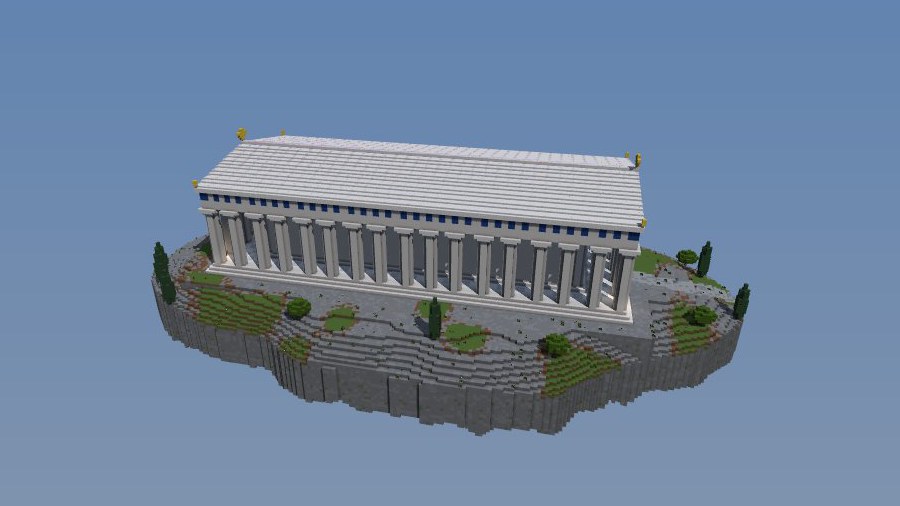
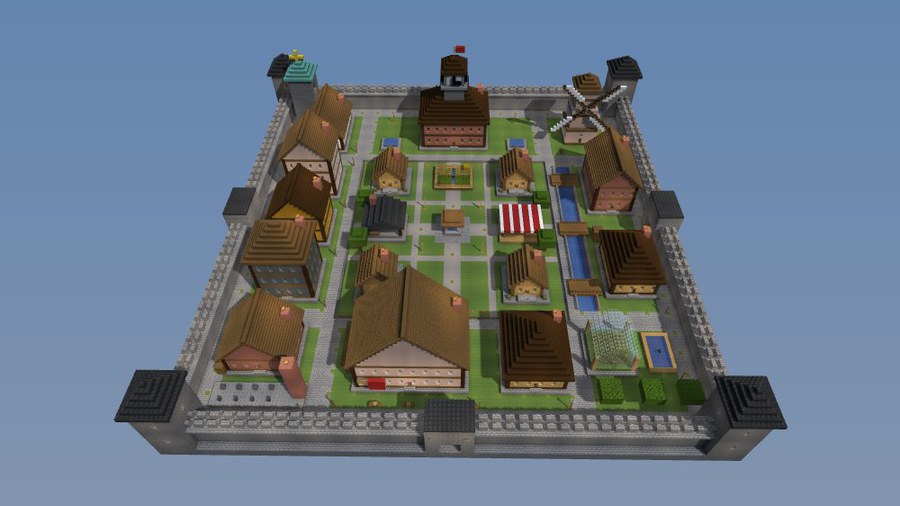
Both pictures here were built by an assistant through BlocMod: the Parthenon at two blocks to the metre, and a walled town of nine districts that Minecraft grows in new land, as it does its villages.
Getting started
-
Install it
Download BlocMod for Windows and run the installer. If Windows says it protected your PC, choose More info, check the publisher reads AetherCarlyle Ltd, then Run anyway.
-
Connect Minecraft
On first run BlocMod finds Minecraft: Java Edition on your PC and reads its blocks. Nothing of Minecraft's comes in the download.
-
Open or draw
Open a schematic you already have, or start on the empty ground with Place and Shape.
-
Export
A schematic to place in your world, or a data pack for Minecraft to build from.

Stuck, or found a bug?
Bugs, ideas and builds are shared on the BlocMod Discord.
Or email support@blocmod.app
Free for now
BlocMod is free for now, for a limited time. The free period will end, possibly while BlocMod is still in beta, and BlocMod will then cost $4.99 a year, tax included, with a free demo that opens and saves projects but does not export. Free builds will stop exporting within two weeks of that. Your projects stay yours either way.
$4.99 a year
- Tax included: the price you see is the price you pay.
- Use it on two PCs at once. BlocMod and BlocMod Experimental on the same PC count as one.
- For your own projects, personal or commercial.
- Updates for as long as your subscription runs.
- Help by email and on the Discord.
- Renews each year until you cancel. Changed your mind? A full refund within 14 days of any payment.
- If you stop paying, you keep the last version your subscription covered, exports and all. Only updates stop.
Updates
BlocMod looks for a newer version when it starts, and Help › Check for Updates looks straight away. Beta builds stop exporting two weeks after they are released; updating keeps you going. Your projects always open and save.
Download
The newest installer for Windows, with its release notes, is on GitHub.
Download for WindowsBy installing BlocMod you agree to the beta terms.